
How Sewing Machine Foot Controls and Pedals Are Matched
Sewing machine foot pedals are not universal.
The safest way to replace one is to start with the exact sewing machine model, then find the foot control or controller part number that the manufacturer lists for that machine.
A plug that fits is useful information. It is not proof that the controller belongs with the machine.
Manufacturers use different foot controls across different model families, sometimes within the same brand. SINGER currently lists separate replacement controls for its mechanical Heavy Duty machines and for several computerized machine series. Janome's own foot-control catalogue contains multiple controller part numbers with different machine lists.
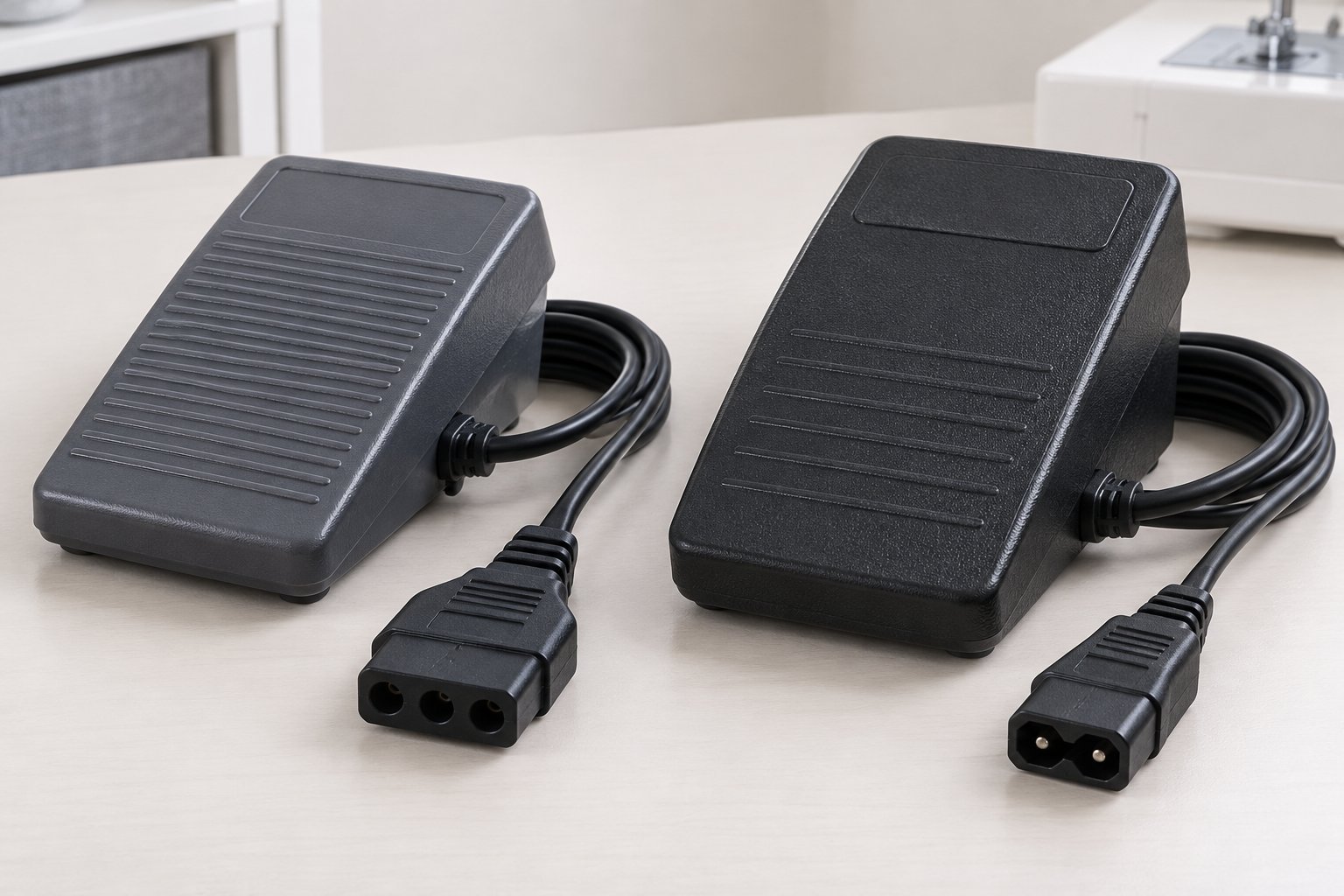
What needs to match
| Check | Why it matters |
|---|---|
| Exact sewing machine model | Compatibility is normally specified against the machine |
| Foot controller model or OEM part number | Identifies the intended replacement more precisely |
| Manufacturer compatibility list | Confirms which machines the controller is documented for |
| Plug and cord arrangement | Must physically match the machine's connection |
| Controller functions | Some machines support more than simple speed control |
| Regional machine documentation | Power arrangements and supplied equipment can vary |
The first three are the strongest starting points.
Looking at the connector comes afterwards.
Foot pedal and foot control usually mean the same basic thing
The terminology isn't wonderfully consistent.
Manufacturers use terms such as foot control, foot controller and foot pedal for the device operated by foot to start, stop or control sewing speed.
SINGER uses both “Foot Control” and “foot pedal” on current accessory pages. Brother normally uses “foot controller”. Janome's accessory catalogue calls the category “Foot Control”.
For compatibility research, the wording matters less than the identifying number attached to the controller.
“Black sewing machine pedal” is not much of a specification.
Start with the sewing machine, not the old pedal
If the original controller is missing, identify the machine first.
Use the full manufacturer and model number, including letters and suffixes.
Use the guide to finding your sewing machine model number.
Then check the machine manual, official accessory page or manufacturer support information for the foot controller.
Brother manuals show how specific this can get. One current manual identifies Foot Controller Model KD-1902 and then lists the exact machine product codes it can be used with.
That is much stronger evidence than finding another pedal with a similar connector.
The controller's own number is useful too
If the old pedal is still available, inspect its identification label.
Record the controller model, part number and any other manufacturer identifiers before shopping for a replacement.
Then cross-check that number against the machine.
The order matters because a second-hand sewing machine may have arrived with a controller that wasn't originally supplied with it.
An old accessory being in the box proves mainly that it was in the box.
One brand can use several different pedals
Brand alone isn't enough.
Janome's official Foot Control page currently lists several separate controller numbers, including C-1036, C1028, 043670206, C1035, 043271133 and 808550008, each associated with particular machine groups. Janome explicitly tells owners to contact a local dealer to obtain the correct part number for the machine.
SINGER shows the same problem from another angle.
Its current mechanical Heavy Duty foot control is listed for machines including the 4411, 4423, 4432 and 4452. SINGER separately sells a controller for specified computerized CA, CB, EA and EC machine series.
Both are SINGER foot controls.
That doesn't make them the same SINGER foot control.
Don't match a replacement from the plug alone
Connector shape is a useful rejection test.
If the plug doesn't fit, the answer is fairly easy.
If it does fit, the compatibility question still isn't finished.
The manufacturer's model list or controller specification is stronger evidence because it identifies the intended relationship between machine and control, not merely two pieces of plastic that happen to meet.
Brother goes further on some machines and explicitly tells owners to use only the foot controller supplied with the machine.
So don't use force, adapters or improvised wiring to turn an undocumented controller into a replacement.
This is mains-powered equipment in many machine designs. Creativity has better places to be useful.
Some foot controls also form part of the power connection
Not every sewing machine separates the pedal and mains lead in the same way.
A Brother manual for several mechanical models shows a three-pin foot-controller connection to the machine, while the associated power arrangement supplies the machine through that assembly.
SINGER's mechanical Heavy Duty replacement is likewise sold as a foot pedal with an attached power cord that connects to the machine and wall outlet.
Other machines use a different arrangement.
This is another reason that counting pins without checking the exact machine is a poor replacement method.
The cord layout itself is part of what needs to match.
Computerized machines can expect more from the controller
A foot control isn't always just a variable-speed switch.
Modern computerized machines can support controllers with extra programmable functions.
Brother's SADFFC Dual Function Foot Controller, for example, can be programmed on compatible machines to perform functions such as single-stitch sewing, reverse stitching and needle up/down. Brother gives an explicit machine list for that controller.
Its larger SAMFFC controller provides two pedals and programmable control of functions including thread cutting, single stitch, reverse and needle movement on another defined group of machines.
Baby Lock uses the same general idea.
The BLSA3-AMFC Advanced Multi-Function Foot Control supports programmable functions including start/stop, thread cutting, single stitch, reverse or reinforcement and presser-foot movement. Baby Lock lists a specific group of compatible machines.
That is considerably more specific than “pedal with the right plug”.
Two similar multi-function controls can still have different compatibility lists
Baby Lock currently sells both the Baby Lock BLSA3-AMFC Advanced Multi-Function Foot Control and the Baby Lock BLMA-MFC Multi-Function Foot Control.
They overlap across several compatible machines, but their published model lists are not identical.
That is the sort of distinction a model-based compatibility database is better at handling than a generic list of pedal shapes.
A machine may work without the pedal and still have a specific pedal
Some computerized machines can start and stop from controls on the machine itself.
That does not make the optional foot controller generic.
The controller can still have a defined connector, supported functions and manufacturer compatibility list.
Likewise, the fact that a machine can sew without a foot controller does not establish compatibility with whichever pedal happens to plug in.
The question remains the same.
Which controller does the manufacturer document for this machine?
Treat damaged cords as an electrical problem, not a compatibility puzzle
A frayed cable, damaged plug or cracked controller housing is a different problem from a missing pedal.
Brother's manuals warn against using damaged cords or plugs and direct owners to authorized service when the cord or plug is damaged.
Do not splice an unfamiliar pedal onto the old connector merely because the original one is hard to find.
For an obsolete machine, a specialist sewing-machine technician or reputable parts supplier may be needed to identify an appropriate replacement.
That is especially true when current manufacturer documentation no longer covers the model.
Be careful with “universal” replacement pedals
A third-party controller may genuinely support many machines.
That still doesn't make the word universal evidence.
Look for an explicit machine list, an exact controller cross-reference or a documented OEM replacement relationship.
If the seller's only argument is that the plug looks right, there isn't enough information to treat the compatibility as confirmed.
For SewFitGuide, manufacturer documentation takes priority over marketplace compatibility claims.
How to find the right replacement
Use this ordered list:
- Identify the exact sewing machine model.
- Check the manual or official manufacturer accessory information.
- Record the specified foot-controller model or OEM part number.
- Compare the old controller's label if it is available.
- Confirm the manufacturer compatibility list.
- Check that the plug and cord arrangement match the documented controller.
- For programmable controllers, confirm that the exact machine supports those functions.
If the official information names one controller, use that as the reference.
Do not work backwards from a photograph unless better evidence is unavailable.
How SewFitGuide handles foot controls
SewFitGuide treats the controller as another compatibility relationship:
machine model -> compatible foot control -> evidence
That means a foot-control page can show the published machines tied to that exact controller, while a machine page can point back to its verified pedal or controller.
Use the machine and part search when the machine model is known.
The Parts & Systems directory works in the other direction when an OEM controller number is already available.
A missing foot-control relationship does not mean no replacement exists.
It means SewFitGuide does not currently publish one as verified.
With an electrical accessory, guessing to make the catalogue look more complete would be a particularly unhelpful improvement.