
How to Find Your Sewing Machine Model Number
The model number is the best place to start when identifying bobbins, needles, presser feet, pedals or replacement parts for a sewing machine.
It may be printed clearly on the front. It may be hiding on a label around the back. Older machines can put identifying numbers somewhere else entirely.
The important part is finding the exact model, not just the brand or the name of the machine family.
A SINGER Heavy Duty, Brother sewing machine or Janome Memory Craft is not specific enough for a compatibility check. You want the complete model code, including any letters or suffixes.
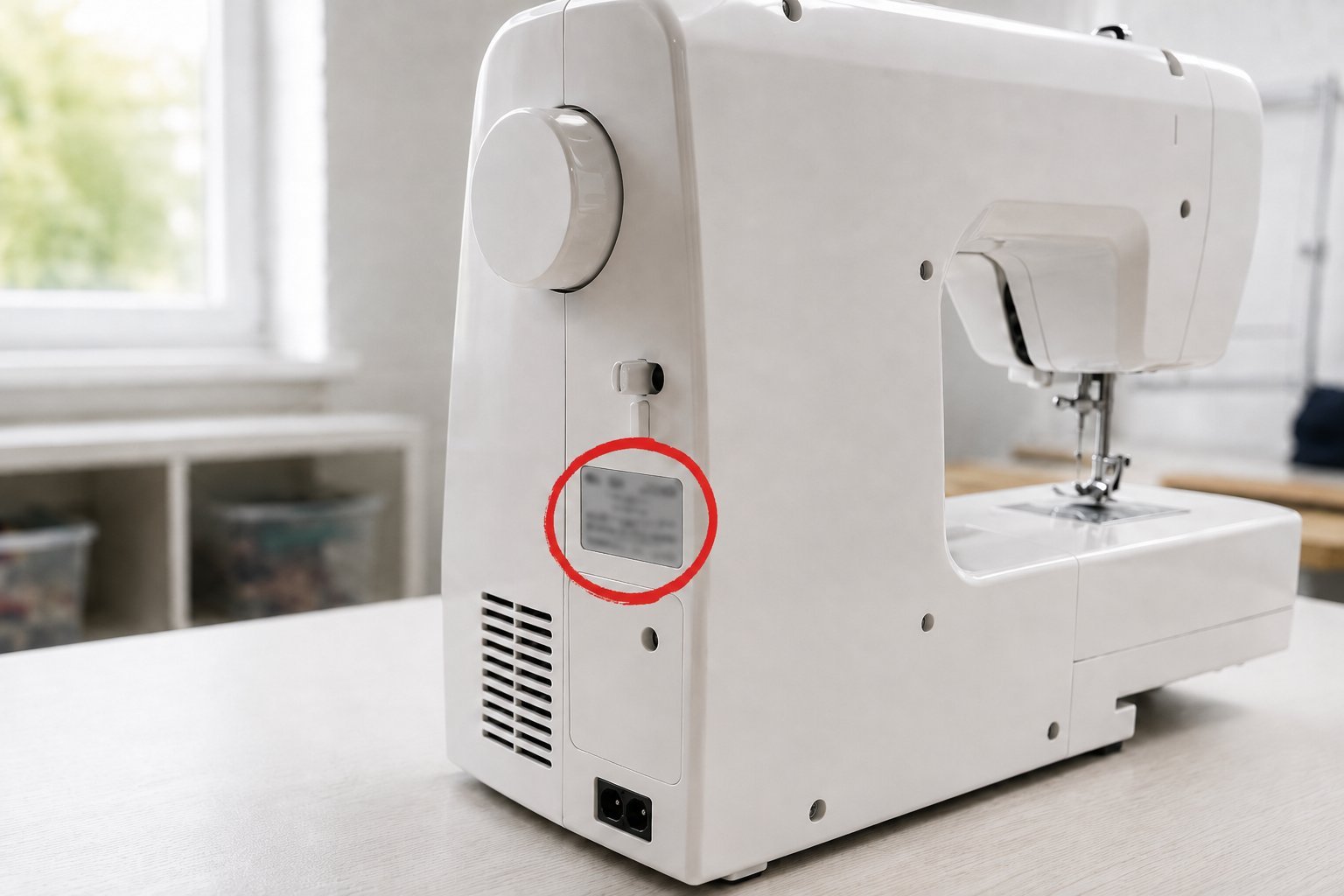
Model number, serial number and machine name are different things
| Identifier | What it identifies | Usually useful for |
|---|---|---|
| Model number | A particular machine model or version | Manuals, parts and compatibility |
| Serial number | One individual machine | Registration, warranty and production records |
| Series or family name | A broader product range | General identification, but often not enough for parts |
Manufacturers commonly ask for both the model and serial number when registering or supporting a machine. That is a good clue that they are not interchangeable pieces of information.
For SewFitGuide, the model number is normally the important one. Compatibility records are attached to a particular machine model rather than to an individual serial number.
Check the front and sides first
On many modern machines, the easiest identifier is already visible.
SINGER says machines from the 1960s onward generally have the model number on the front or side. Its more detailed regional guidance shows how the position changed across generations, including front-panel locations on machines from the 1960s through the 1980s and rear placement on many newer machines.
Look for a short combination of letters and numbers rather than a decorative product-family name.
Something like:
4423
is useful.
Something like:
Heavy Duty
isn't enough by itself.
The same problem appears across brands. Product families are useful for browsing, but parts are usually researched against a more exact model.
Then check the back of the machine
If the front only gives you a brand or family name, look around the back.
Identification labels commonly contain more information than the decorative markings on the front.
Baby Lock explicitly says that its machine model number and serial number are located on the back of the machine. Brother documents a silver serial-number sticker on the back of many home sewing and embroidery machines, underneath a barcode. Janome's current support form likewise identifies its serial number as a separate 9-digit number on the back of the machine.
The exact label layout varies.
Do not assume the longest number is the model number just because it looks impressively official.
Read the labels.
Look for terms such as:
- Model
- Model No.
- Type
- Serial
- Serial No.
- S/N
A serial number may be useful later. Record it if you find it, but keep it separate from the model.
Check the base and underside where appropriate
Some manufacturers also use the base or lower part of the machine for identification information.
SINGER's current registration guidance says the serial number is typically on the base or back panel. Its historical guidance also places identifying numbers underneath some older electric machines.
Do not casually turn a heavy machine upside down to investigate it.
If you need to inspect the underside, unplug the machine first and move it only if it can be done safely without putting strain on the spool pins, thread guides, embroidery unit or other projections.
A phone camera is often easier than trying to read a label while holding the machine at an awkward angle.
Older machines are less predictable
Vintage machines are where a universal “look here” instruction stops working.
SINGER has used several locations across its long production history. Its current support information points owners of treadle and hand-crank machines toward numbers on the throat plate or bed. Other older electric machines may have identifying numbers on the right side or underneath the machine.
Janome documents a similar historical exception for antique New Home machines. For those machines, Janome says the model or style number, serial number and place of manufacture should be on or under the needle-plate area.
That does not mean every vintage machine has its model number beside the needle plate.
It means age and manufacturer matter.
If the machine is old enough that the visible number appears to be a serial number rather than a model, use manufacturer-specific historical documentation before deciding what it identifies.
Do not throw away letters and suffixes
Write down the complete identifier.
If the label says a combination of letters, numbers, spaces or hyphens, record the whole thing before trying to simplify it for a search.
A suffix may identify a regional or product variant. Even where two versions eventually prove to use the same part, that should come from evidence rather than from deleting the inconvenient last letter.
SewFitGuide search normalizes common differences such as case, spacing and hyphens, but the underlying machine identity should still preserve the manufacturer's actual model name.
The safest habit is boring but effective.
Copy what the machine says.
Don't confuse a serial number with a model number
A serial number usually identifies one physical machine.
That makes it important for warranty work, manufacturer support and, in some cases, historical production research. It does not automatically tell a parts catalogue which machine design you have.
SINGER, for example, asks for both model and serial number during registration. Janome also requests them as separate fields when a customer contacts support.
Brother creates another possible source of confusion because many of its machines have a clearly labelled serial-number sticker on the rear. Finding a convincing-looking number on a silver sticker does not mean you've found the model number.
If a label explicitly says Serial, believe it.
Keep looking for the model.
The manual can confirm what you've found
If you still have the original manual, use it as a second check.
SINGER's registration guidance specifically identifies the machine itself or the user manual as places to find the model number.
This is particularly useful when the machine carries both a marketing name and a shorter technical model code.
Compare the manual to the physical machine before relying on it, though. Used machines have a habit of acquiring manuals, accessory boxes and covers from their neighbours.
A manual sitting beside a machine is evidence.
A matching model number makes it much better evidence.
What if the label is worn or missing?
Start with whatever identifiers remain.
Photograph:
- the front of the machine
- any visible model name
- every identification plate or sticker
- the area around the power connection
- any stamped numbers on an older machine
Then look for an exact match in official manufacturer support or manuals.
Do not identify a machine from colour and general shape unless there is no better option.
Manufacturers reuse design ideas. Machines within the same family can look almost identical while carrying different model numbers.
If only part of the code is readable, resist the temptation to fill in the missing character because another model looks similar.
A blank is better than a confidently invented number.
Why the exact model matters for parts
This is where the exercise stops being administrative.
Sewing-machine compatibility is model-specific.
A broad brand search may return several bobbins, multiple foot-control systems, different presser-foot arrangements and several types of embroidery hoop. The correct answer depends on which machine is sitting on the table.
The guide to finding the right sewing machine bobbin starts with the model number for exactly this reason.
Once the machine is identified, a vague question such as:
Which bobbin fits my Brother?
becomes:
Which bobbin fits my Brother ST371HD?
That is a much better compatibility question.
The same principle applies to needles, feet, belts, bobbin cases, pedals and part numbers.
Search the complete model in SewFitGuide
Once you have the number, use the SewFitGuide machine and part search.
Enter the manufacturer and model together where possible.
You can also browse the manufacturer directory if the search does not immediately produce a match.
For example, the SINGER catalogue, Brother catalogue and Janome catalogue organise the currently published machines for those manufacturers.
A missing search result does not mean the machine doesn't exist.
It means SewFitGuide does not currently have a published record matching that identifier.
That distinction matters on a catalogue built around verified relationships rather than a promise to contain every sewing machine ever made.
Take a photo before you forget it again
Once you find the label, photograph it.
It takes a few seconds and saves repeating the entire exercise when you need a bobbin case two years later.
A useful photo should show the whole label rather than only the number you think matters. Voltage, region, type codes and other information may become useful when two versions need to be distinguished.
Keep the photograph with the manual if you store sewing-machine documents digitally.
Model-number detective work is much less entertaining the second time.
A quick identification order
When the machine is unfamiliar, use this order:
- Check the front and sides for an exact model code.
- Inspect the identification label on the back.
- Check the base or underside if the manufacturer uses those locations and it is safe to do so.
- Keep the model and serial number separate.
- Preserve every letter and suffix in the model identifier.
- Compare it with the original manual or official manufacturer information.
- Search the exact model before choosing compatible parts.
Once the exact machine is established, the rest of SewFitGuide becomes much more useful.